

 DE
DE
 FR
FR
 ES
ES
 IT
IT
 BR
BR
 PT
PT
 USA
USA
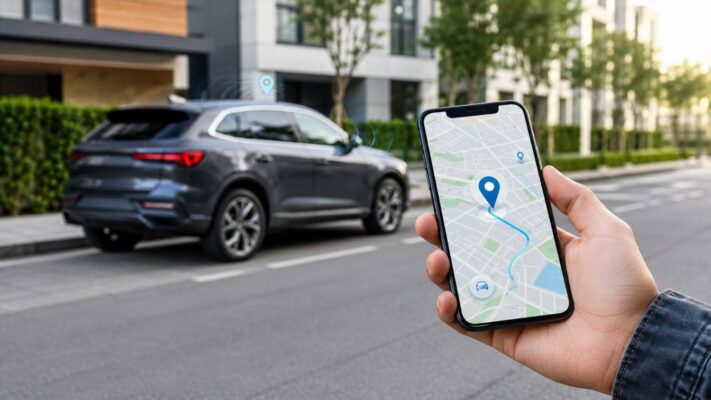
You’re sitting at a café, halfway through your morning coffee, when a thought creeps in: Did I park my car in a safe spot? Is it still there? Or maybe your teenager just borrowed the family car, and you’d love a little peace of mind. Whether it’s theft protection, keeping tabs on a young driver, or simply knowing where your vehicle is at any given moment, tracking your car from your smartphone has never been more straightforward.
With a Salind GPS tracker and the FINDER Portal app, you can see your car’s exact location in real time, from anywhere in the world, right on your phone screen. This guide will walk you through everything you need to know — from choosing the right tracker to setting up smart alerts — so you can get started with confidence.
Why Track Your Car with a GPS Tracker?
Before we get into the how, let’s talk about the why. A dedicated GPS tracker does things that your phone’s built-in “Find My” features simply can’t. Your car doesn’t carry your phone everywhere. A GPS tracker installed in the vehicle sends continuous location data, even if your phone is sitting on your nightstand.
Here’s what a real-time car tracker actually gives you:
Theft protection is the big one. If your car is stolen, you know exactly where it is — not a neighborhood, not a general area, but a precise location accurate to about 5 meters. That kind of information, shared immediately with law enforcement, dramatically increases the chance of recovery.
Family peace of mind is another. If you have young drivers in the house, knowing they made it to school or practice safely (and weren’t speeding on the highway) isn’t being overbearing — it’s being responsible.
Route history is surprisingly useful too. Salind GPS trackers store up to 365 days of route history, which means you can go back and review exactly where your vehicle has been, when it got there, and how long it stayed.
And frankly, it’s just reassuring. Knowing is better than wondering.
Step 1: Choose the Right Salind GPS Tracker for Your Car
Salind offers a few different tracker models, and picking the right one makes a real difference in day-to-day use.
Salind 01 4G — The Hardwired Choice
If you want a set-it-and-forget-it solution, the Salind 01 4G is hard to beat. It connects directly to your car’s battery (works with any vehicle between 9V and 75V), which means it never needs charging. You install it once and it just works, permanently powered. This one is ideal for people who want continuous, long-term tracking without any maintenance. It also triggers a Power Cut-Off alarm if someone disconnects it — which is a smart theft-deterrent feature.
Salind 08 4G OBD — Plug and Track in Seconds
The Salind 08 4G plugs straight into your car’s OBD port (that’s the diagnostic socket usually located under your dashboard, near the steering column). No wiring, no tools, no fuss. If you’re not comfortable with any kind of installation, this is genuinely the easiest option out there. Just plug it in and you’re live. Like the 01 4G, it draws power from your vehicle so the battery is never an issue.
Salind 11 4G — The Portable Battery Tracker
The Salind 11 4G runs on its own internal battery, which lasts up to 70 days on a single charge. Because it’s self-contained, it’s incredibly flexible — you can move it between vehicles, stash it in a motorcycle, slip it into a bag, or hide it somewhere in the car where it won’t be easily found. The trade-off is that you’ll need to recharge it periodically, but 70 days is long enough that it rarely feels like a chore.
Salind 20 4G — Extended Battery Life
For those who want battery-powered flexibility but even less maintenance, the Salind 20 4G extends that battery life all the way to 180 days. That’s roughly six months between charges. It’s larger than the 11 4G but absolutely worth it for long-term deployments where you don’t want to think about it.
All models use 4G connectivity, achieve GPS accuracy down to 5 meters, and come splash-proof. They’re trusted by over 100,000 users worldwide — and that number has a way of putting your mind at ease before you buy.
Step 2: Activate the Built-In SIM Card
Every Salind GPS tracker comes with a SIM card already installed. You don’t need to find a carrier, purchase a separate SIM, or deal with any of that. But before the tracker can start sending data, you do need to activate that SIM and choose a subscription.
Head to start.finder-portal.com on any browser. The process is simple:
- Choose a subscription duration that suits you.
- Select any optional service packages (such as premium alarm features or extended history).
- Complete the payment.
That’s it. The activation typically takes just a few minutes, and once done, your tracker is ready to communicate with the portal and the app.
Step 3: Install or Position the Tracker in Your Car
How you place or install the tracker depends on which model you chose.
For the Salind 01 4G, you’ll need to connect it to your vehicle’s power supply. The device works with standard automotive wiring (9–75V), and the connection is straightforward — red wire to positive, black to ground. If you’re not confident doing this yourself, any auto electrician can handle it in under 15 minutes. Tuck it somewhere discreet under the dashboard or near the fuse box.
For the Salind 08 4G OBD, just locate the OBD-II port under your dashboard and plug it in. Done. It will sit there quietly and invisibly.
For battery models like the Salind 11 4G or 20 4G, placement is entirely up to you. A common approach is tucking it inside the wheel arch, securing it under the seat, or placing it in the trunk. All battery models are splash-proof, so they handle real-world conditions well. Just make sure wherever you place it has a reasonable line of sight — placing it deep inside metal cavities can weaken the GPS signal.
Step 4: First Use — Take It Outside
Before the tracker fully calibrates and starts reporting accurate positions, Salind recommends taking it outside on its first use and walking or driving around for a few minutes. This allows the device to lock onto satellite signals and calibrate itself automatically.
You’ll only need to do this once. After that, the tracker handles everything on its own.
Step 5: Download the FINDER Portal App
This is where your smartphone becomes your command center.
The app you’re looking for is called the FINDER Portal App, and it’s available for both platforms:
- Android: Search “PAJ GPS” on Google Play, or find it directly at the Play Store
- iPhone: Search “PAJ Portal V2” on the App Store
Once downloaded, create your account (or log in if you already have one), and add your device using the serial number or IMEI number printed on the tracker. Within moments, your car will appear as a live dot on the map.
The FINDER Portal app is clean and genuinely intuitive. You don’t need to be tech-savvy to use it. The map view shows you your vehicle’s current position in real time, and navigation is simple enough that most people get the hang of it within a few minutes.
You can also access everything through the desktop browser version at v2.finder-portal.com if you prefer a larger screen.
Step 6: Set Up Your Alerts
This is the step most people skip, and they always regret it later. Setting up smart alerts turns a passive tracker into an active security system.
Here’s what’s available, and how to use each one:
Geo-Fence Alarm This is arguably the most powerful feature. You draw a virtual boundary on the map — around your home, your neighborhood, your work parking lot, wherever makes sense — and the app immediately notifies you the moment your car crosses that boundary. If it leaves at 3am on a Tuesday, you’ll know about it before whoever took it has made it around the block.
Shock Alarm If someone hits, bumps, or jostles your car — like when a thief is testing whether the alarm will trigger, or trying to break a window — the tracker detects the vibration and sends you a push notification. It’s an early warning system that catches suspicious activity before it escalates.
Speed Alarm Set a maximum speed, and you’ll get notified if your vehicle exceeds it. This is particularly useful if a teenager or employee is using your car. You set the limit, they drive accordingly (or you have a conversation the next day).
Power Cut-Off Alarm (Salind 01 and 08 4G) If someone attempts to disconnect the hardwired tracker or cut power to the OBD device, an alarm fires immediately. This catches sophisticated thieves who know how to disable tracking systems.
Removal Alarm (Battery models) If the tracker is physically moved or detached from where it’s been placed, the app lets you know. Good for preventing someone from finding and discarding the device.
Low Battery Alarm (Battery models) When the battery is getting low, you’ll get a heads-up so you can recharge before it goes dark.
Alerts can be sent as push notifications straight to your phone, as SMS texts, or as emails — or all three simultaneously. Go into the app’s settings and configure them exactly the way you want.
What You Can See in the App Every Day
Once everything is set up, your daily experience with the FINDER Portal app is effortless. A quick glance at your phone shows you:
- Live location — where your car is right now, on a map, updated in real time
- Route history — every journey your vehicle has taken, stored and searchable for up to 365 days
- Speed data — how fast the vehicle was moving at any point during a trip
- Alarm history — a log of any alerts that were triggered
The route history feature is one of those things you don’t think you’ll use until you actually need it. Checking a past route can resolve disputes, confirm that a delivery was made, or just satisfy your own curiosity about where the car has been.
A Few Practical Tips
Keep the tracker out of sight. The less visible it is, the more effective it is as a theft deterrent and recovery tool. If a thief can see it, they can remove it.
Test it before you rely on it. After setup, take the car for a short drive and watch the tracking update in real time on the app. Confirm the alerts work. Five minutes of testing saves a lot of headaches later.
For hardwired models, consider professional installation. The Salind 01 4G is simple enough for a DIY install, but if you’re not comfortable with car electronics, a quick visit to an auto shop ensures it’s done cleanly and hidden well.
Check battery models periodically. The Salind 11 4G and 20 4G will send you a low battery alert, but it doesn’t hurt to check the app now and then if your use case is especially critical. The 20 4G’s six-month battery life makes this a non-issue for most people.